# Update global settings

You will need the Azure clientid, applicationid and secret from the [Azure Application](https://help.abitsystems.com.au/books/service-scheduler-administration/page/register-entra-application "Register application")

<table border="1" id="bkmrk-start-the-service-sc" style="border-collapse: collapse; width: 100%;"><colgroup><col style="width: 65.4048%;"></col><col style="width: 34.6905%;"></col></colgroup><tbody><tr><td>[<span style="color: #444444;">![image.png](https://help.abitsystems.com.au/uploads/images/gallery/2024-11/scaled-1680-/m91image.png)</span>](https://help.abitsystems.com.au/uploads/images/gallery/2024-11/m91image.png)

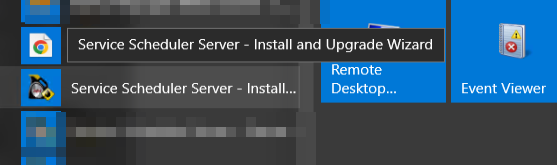
</td><td>Start the Service Scheduler Install / Upgrade wizard on the server</td></tr><tr><td>[<span style="color: #444444;">![image.png](https://help.abitsystems.com.au/uploads/images/gallery/2024-11/scaled-1680-/km4image.png)</span>](https://help.abitsystems.com.au/uploads/images/gallery/2024-11/km4image.png)

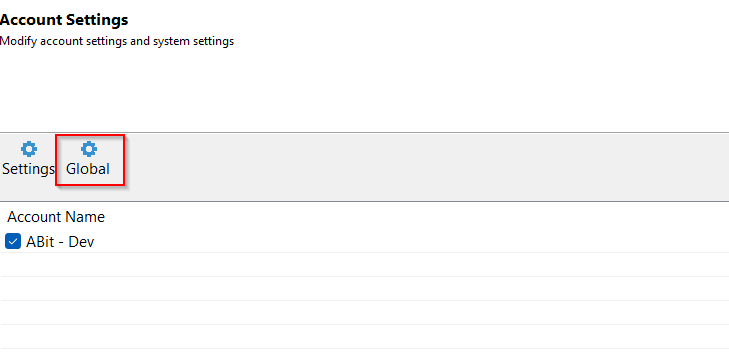
</td><td>Click next until the Account Settings page and select "Global"</td></tr><tr><td>[<span style="color: #444444;">![image.png](https://help.abitsystems.com.au/uploads/images/gallery/2024-11/scaled-1680-/Whrimage.png)</span>](https://help.abitsystems.com.au/uploads/images/gallery/2024-11/Whrimage.png)

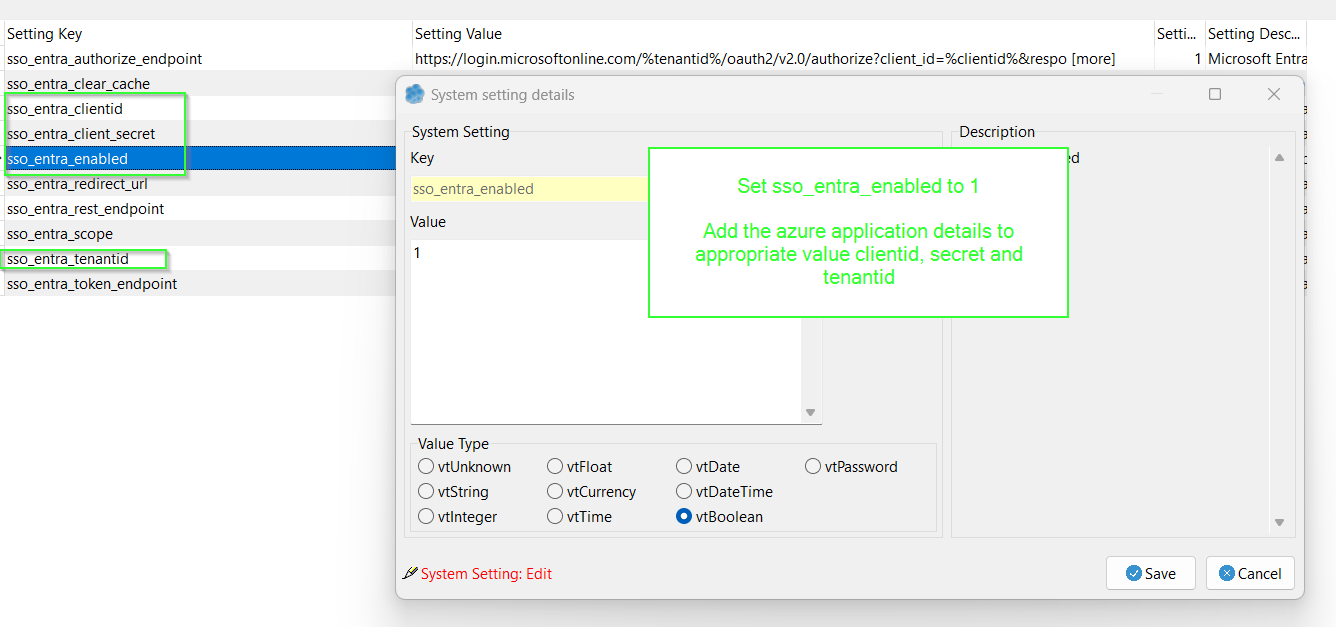
</td><td>Set sso\_entra\_enabled to 1

Add the azure application details to appropriate value clientid, secret and tenantid

</td></tr></tbody></table>

### Stop service scheduler for prompting for account on login

<table border="1" id="bkmrk-to-stop-the-prompt-a" style="border-collapse: collapse; width: 100%;"><colgroup><col style="width: 50%;"></col><col style="width: 50%;"></col></colgroup><tbody><tr><td>[![image.png](https://help.abitsystems.com.au/uploads/images/gallery/2024-11/scaled-1680-/KZpimage.png)](https://help.abitsystems.com.au/uploads/images/gallery/2024-11/KZpimage.png)

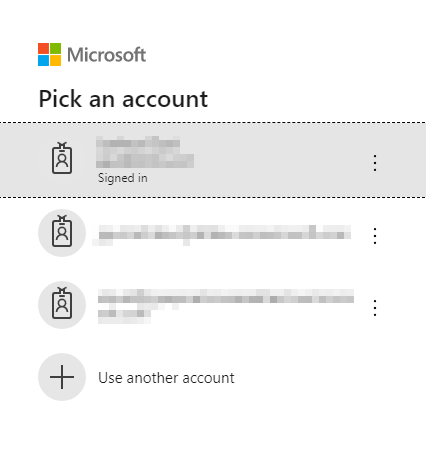
</td><td>To stop the prompt adjust global setting sso\_entra\_authorize\_endpoint</td></tr><tr><td>[![image.png](https://help.abitsystems.com.au/uploads/images/gallery/2024-11/scaled-1680-/bzrimage.png)](https://help.abitsystems.com.au/uploads/images/gallery/2024-11/bzrimage.png)

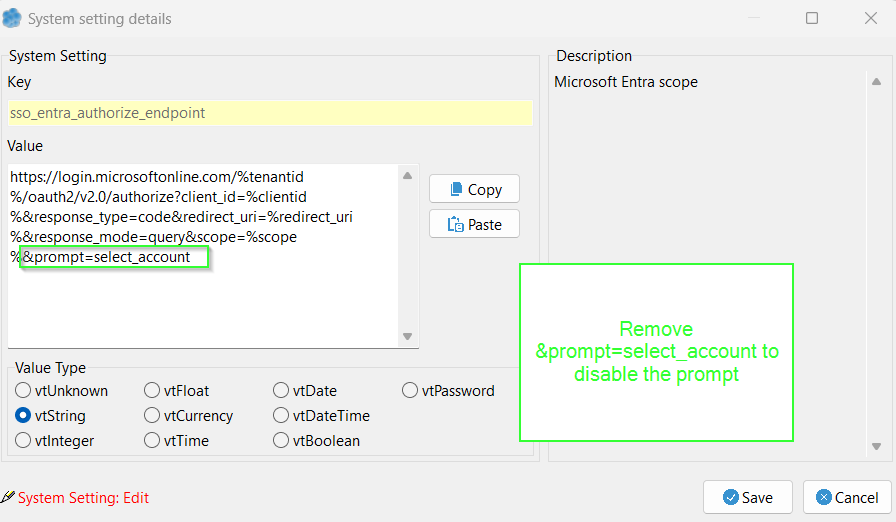
</td><td>[https://login.microsoftonline.com/%tenantid%/oauth2/v2.0/authorize?client\_id=%clientid%&amp;response\_type=code&amp;redirect\_uri=%redirect\_uri%&amp;response\_mode=query&amp;scope=%scope%&amp;prompt=select\_account](https://login.microsoftonline.com/%tenantid%/oauth2/v2.0/authorize?client_id=%clientid%&response_type=code&redirect_uri=%redirect_uri%&response_mode=query&scope=%scope%&prompt=select_account)

Remove the &amp;prompt=select\_account to disable.

</td></tr></tbody></table>