# Loan car diary

# Creating, editing and deleting entries

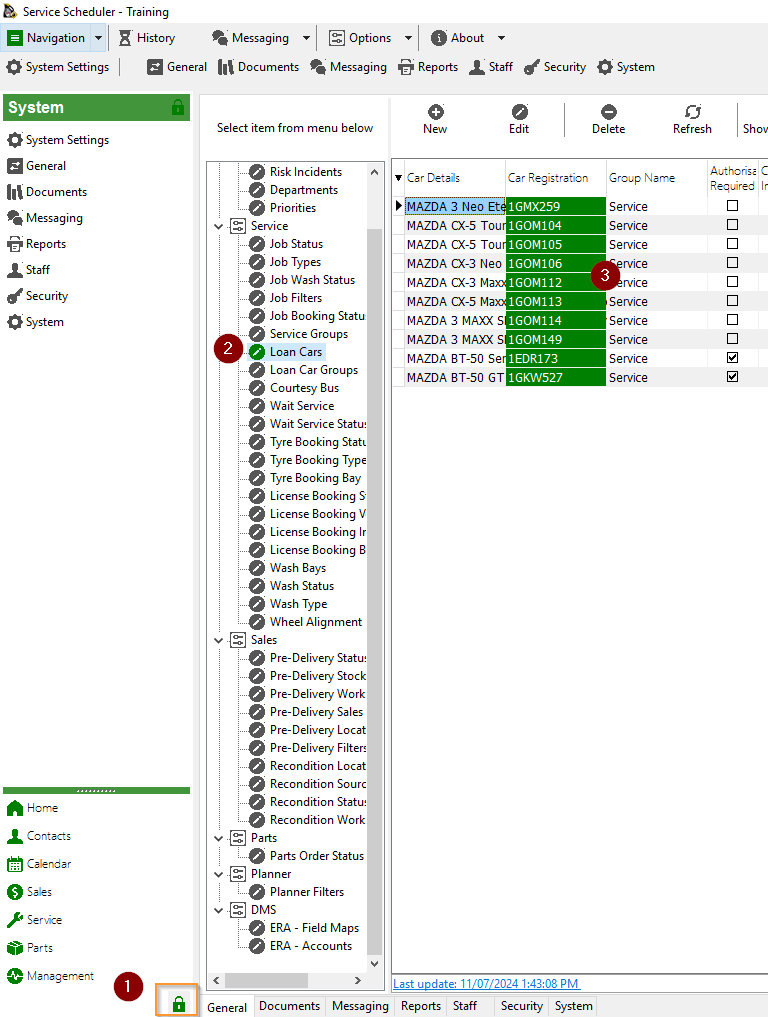
To access the loan car diary select Service -&gt; Loan cars

[![image.png](https://help.abitsystems.com.au/uploads/images/gallery/2024-07/scaled-1680-/5Saimage.png)](https://help.abitsystems.com.au/uploads/images/gallery/2024-07/5Saimage.png)

### New entry

Double click on desired date and available vehicle. If the vehicle is password protected enter the required password.

[![image.png](https://help.abitsystems.com.au/uploads/images/gallery/2024-07/scaled-1680-/NHyimage.png)](https://help.abitsystems.com.au/uploads/images/gallery/2024-07/NHyimage.png)

<p class="callout info">If you are using the ABit License Scanner you can place the license on the scanner and all details and a copy of the image are extracted and stored.</p>

Edit entry

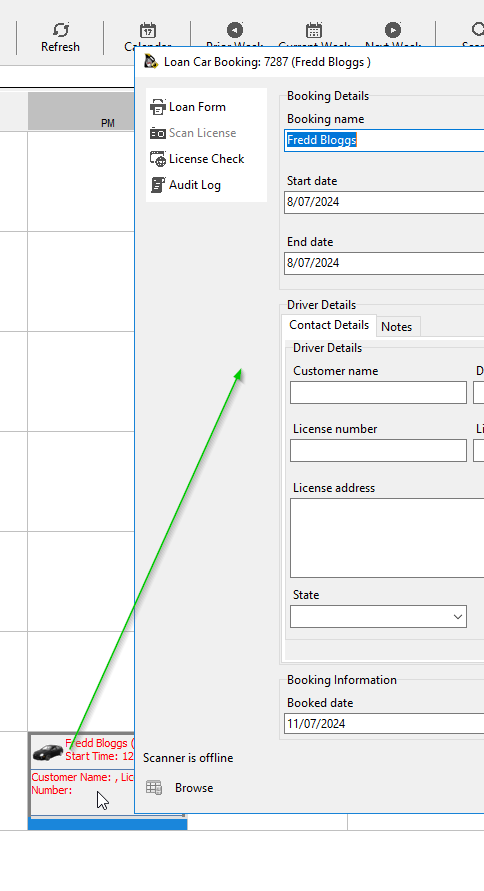
Double click on an entry to make changes

[![image.png](https://help.abitsystems.com.au/uploads/images/gallery/2024-07/scaled-1680-/T4uimage.png)](https://help.abitsystems.com.au/uploads/images/gallery/2024-07/T4uimage.png)
### Move entry

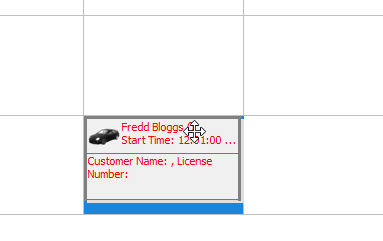
Move the mouse of an entry until the icon changes into 4 arrows. Hold down the mouse button and move the entry.

[![image.png](https://help.abitsystems.com.au/uploads/images/gallery/2024-07/scaled-1680-/1Rkimage.png)](https://help.abitsystems.com.au/uploads/images/gallery/2024-07/1Rkimage.png)
# Loan car form

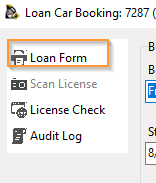
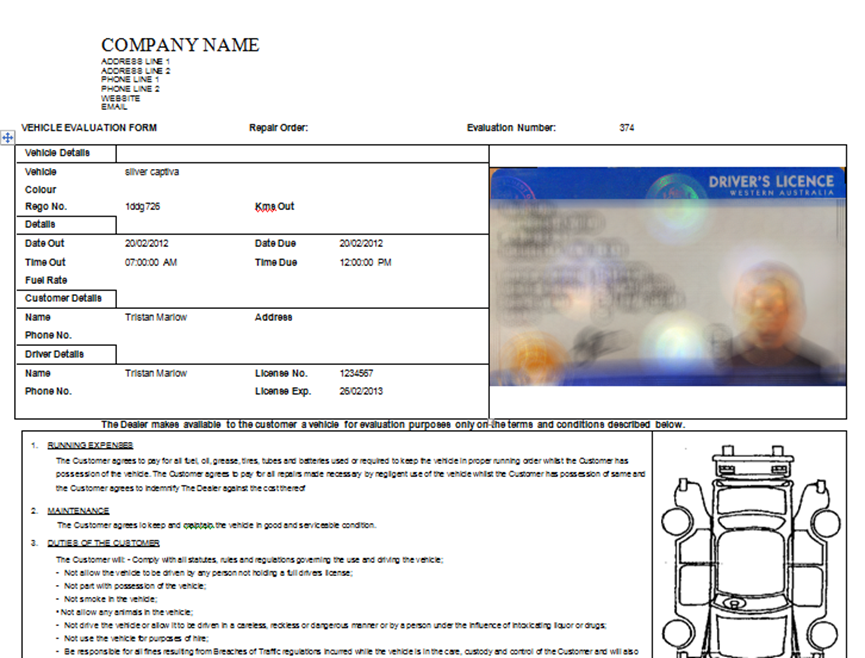
If a Loan Form has been configured in Loan Car Maintenance the form can be printed from the Loan Form button. The Loan Form will fill in the required fields and be displayed in Microsoft Word.

<p class="callout info">Workstations will require Microsoft Word for this feature to work</p>

[![image.png](https://help.abitsystems.com.au/uploads/images/gallery/2024-07/scaled-1680-/9eJimage.png)](https://help.abitsystems.com.au/uploads/images/gallery/2024-07/9eJimage.png)
![](https://help.abitsystems.com.au/uploads/images/gallery/2024-07/embedded-image-lmvrjdun.png)

# Loan car diary administration

### Creating, editing or deleting a loan car

<p class="callout danger">NOTE: Deleting a loan car that has history is not recommended. Set the vehicle to inactive</p>

[![image.png](https://help.abitsystems.com.au/uploads/images/gallery/2024-07/scaled-1680-/Sllimage.png)](https://help.abitsystems.com.au/uploads/images/gallery/2024-07/Sllimage.png)

Create a new or edit existing vehicle

[![image.png](https://help.abitsystems.com.au/uploads/images/gallery/2024-07/scaled-1680-/OSSimage.png)](https://help.abitsystems.com.au/uploads/images/gallery/2024-07/OSSimage.png)
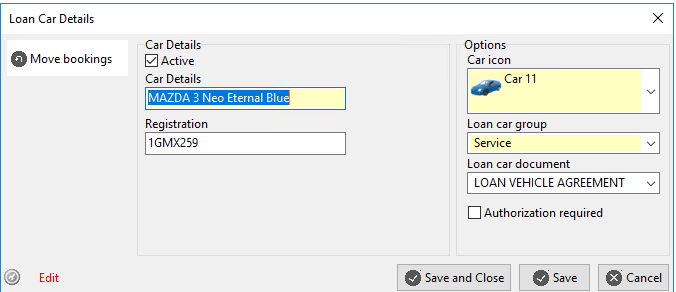
<table border="1" id="bkmrk-active-is-vehicle-av" style="border-collapse: collapse; width: 100%;"><colgroup><col style="width: 33.3333%;"></col><col style="width: 33.3333%;"></col><col style="width: 33.3333%;"></col></colgroup><tbody><tr><td>Active</td><td>Is vehicle available in the calendar</td><td>  
</td></tr><tr><td>Authorization required </td><td>To add or edit a booking a password is required</td><td>The password is specified in [system settings](https://help.abitsystems.com.au/books/service-scheduler-administration/page/system-settings "System settings") loan\_car\_override</td></tr></tbody></table>

### Moving bookings to another vehicle

If you are making a vehicle inactive, use the "Move bookings" option to reassigned bookings to another vehicle.

[![image.png](https://help.abitsystems.com.au/uploads/images/gallery/2024-07/scaled-1680-/6R6image.png)](https://help.abitsystems.com.au/uploads/images/gallery/2024-07/6R6image.png)

### Loan car forms

Locate the document that matches the Loan car document drop down name in system documents.

[![image.png](https://help.abitsystems.com.au/uploads/images/gallery/2024-07/scaled-1680-/pkUimage.png)](https://help.abitsystems.com.au/uploads/images/gallery/2024-07/pkUimage.png)

Use the export and import buttons to obtain the word document and replace it as needed.

[![image.png](https://help.abitsystems.com.au/uploads/images/gallery/2024-07/scaled-1680-/li9image.png)](https://help.abitsystems.com.au/uploads/images/gallery/2024-07/li9image.png)

#### Loan Form Fields (Merge Fields)

The following fields can be placed onto a loan form and data will automatically be merged.

<table border="1" id="bkmrk-field-name-descripti" style="border-collapse: collapse; width: 100%; height: 176.75px;"><colgroup><col style="width: 50.0397%;"></col><col style="width: 50.0397%;"></col></colgroup><tbody><tr style="height: 29.4583px;"><td style="height: 29.4583px;">Field name</td><td style="height: 29.4583px;">Description</td></tr><tr style="height: 29.4583px;"><td style="height: 29.4583px;">:customer\_name:</td><td style="height: 29.4583px;">Customer name</td></tr><tr style="height: 29.4583px;"><td style="height: 29.4583px;">:ro\_number:</td><td style="height: 29.4583px;">Repair Order Number</td></tr><tr style="height: 29.4583px;"><td style="height: 29.4583px;">:customer\_license\_number:</td><td style="height: 29.4583px;">Drivers license number</td></tr><tr style="height: 29.4583px;"><td style="height: 29.4583px;">:customer\_license\_expiry\_date:</td><td style="height: 29.4583px;">License expiry date</td></tr><tr style="height: 29.4583px;"><td style="height: 29.4583px;">:car\_details:</td><td style="height: 29.4583px;"><span style="font-size: 10.0pt; font-family: Roboto; mso-fareast-font-family: 'Times New Roman'; mso-fareast-theme-font: minor-fareast; mso-bidi-font-family: 'Times New Roman'; mso-bidi-theme-font: minor-bidi; mso-ansi-language: EN-AU; mso-fareast-language: EN-US; mso-bidi-language: EN-US;">Vehicle Description</span></td></tr><tr><td>:booking\_start\_date:</td><td><span style="font-size: 10.0pt; font-family: Roboto; mso-fareast-font-family: 'Times New Roman'; mso-fareast-theme-font: minor-fareast; mso-bidi-font-family: 'Times New Roman'; mso-bidi-theme-font: minor-bidi; mso-ansi-language: EN-AU; mso-fareast-language: EN-US; mso-bidi-language: EN-US;">Booking start date</span></td></tr><tr><td>:booking\_end\_date:</td><td><span style="font-size: 10.0pt; font-family: Roboto; mso-fareast-font-family: 'Times New Roman'; mso-fareast-theme-font: minor-fareast; mso-bidi-font-family: 'Times New Roman'; mso-bidi-theme-font: minor-bidi; mso-ansi-language: EN-AU; mso-fareast-language: EN-US; mso-bidi-language: EN-US;">Booking end date</span></td></tr><tr><td>:booking\_start\_time:</td><td><span style="font-size: 10.0pt; font-family: Roboto; mso-fareast-font-family: 'Times New Roman'; mso-fareast-theme-font: minor-fareast; mso-bidi-font-family: 'Times New Roman'; mso-bidi-theme-font: minor-bidi; mso-ansi-language: EN-AU; mso-fareast-language: EN-US; mso-bidi-language: EN-US;">Booking start time</span></td></tr><tr><td>:booking\_end\_time:</td><td><span style="font-size: 10.0pt; font-family: Roboto; mso-fareast-font-family: 'Times New Roman'; mso-fareast-theme-font: minor-fareast; mso-bidi-font-family: 'Times New Roman'; mso-bidi-theme-font: minor-bidi; mso-ansi-language: EN-AU; mso-fareast-language: EN-US; mso-bidi-language: EN-US;">Booking end time</span></td></tr><tr><td>:car\_registration:</td><td><span style="font-size: 10.0pt; font-family: Roboto; mso-fareast-font-family: 'Times New Roman'; mso-fareast-theme-font: minor-fareast; mso-bidi-font-family: 'Times New Roman'; mso-bidi-theme-font: minor-bidi; mso-ansi-language: EN-AU; mso-fareast-language: EN-US; mso-bidi-language: EN-US;">Vehicle Registration</span></td></tr></tbody></table>

### System settings

[System settings](https://help.abitsystems.com.au/books/service-scheduler-administration/page/system-settings "System settings") related to the loan car diary

<table border="1" id="bkmrk-key-description-loan" style="border-collapse: collapse; width: 100%;"><colgroup><col style="width: 50.0397%;"></col><col style="width: 50.0397%;"></col></colgroup><tbody><tr><td>Key</td><td>Description</td></tr><tr><td>loan\_car\_calendar\_days</td><td>Number of days to show on the loan car calendar (eg 5 or 7 days)</td></tr><tr><td>loan\_car\_delete\_password</td><td>The password used to delete an entry</td></tr><tr><td>loan\_car\_override</td><td>The password use to modify bookings on a vehicle with [![image.png](https://help.abitsystems.com.au/uploads/images/gallery/2024-07/scaled-1680-/G9Himage.png)](https://help.abitsystems.com.au/uploads/images/gallery/2024-07/G9Himage.png) checked

</td></tr></tbody></table>