
Graco Pulse - DMS Third Party Interface Settings
Log into Graco Pulse device via web interface
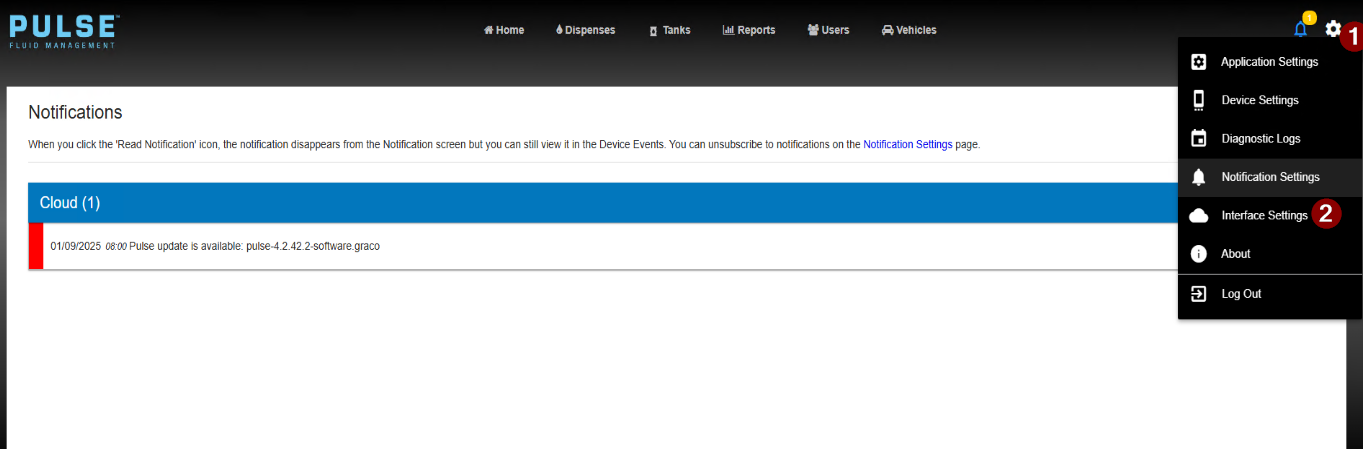
Select Settings -> Interface Settings
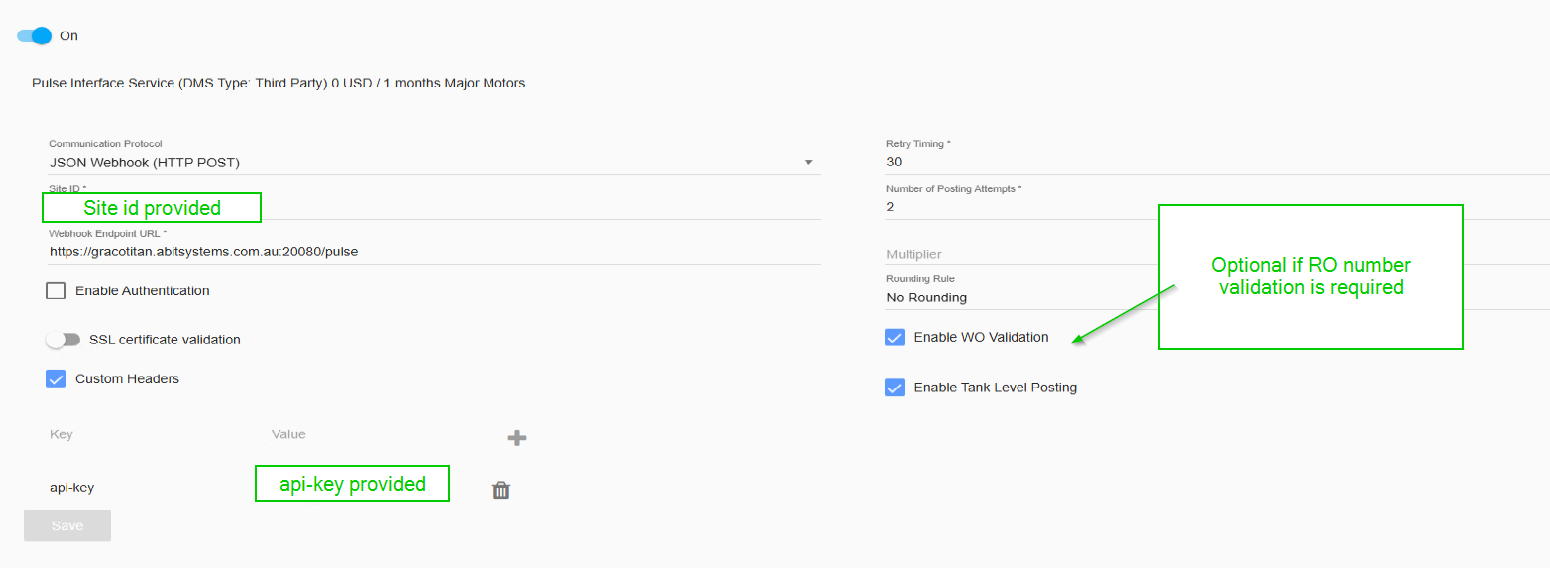
Enter the credentials advised
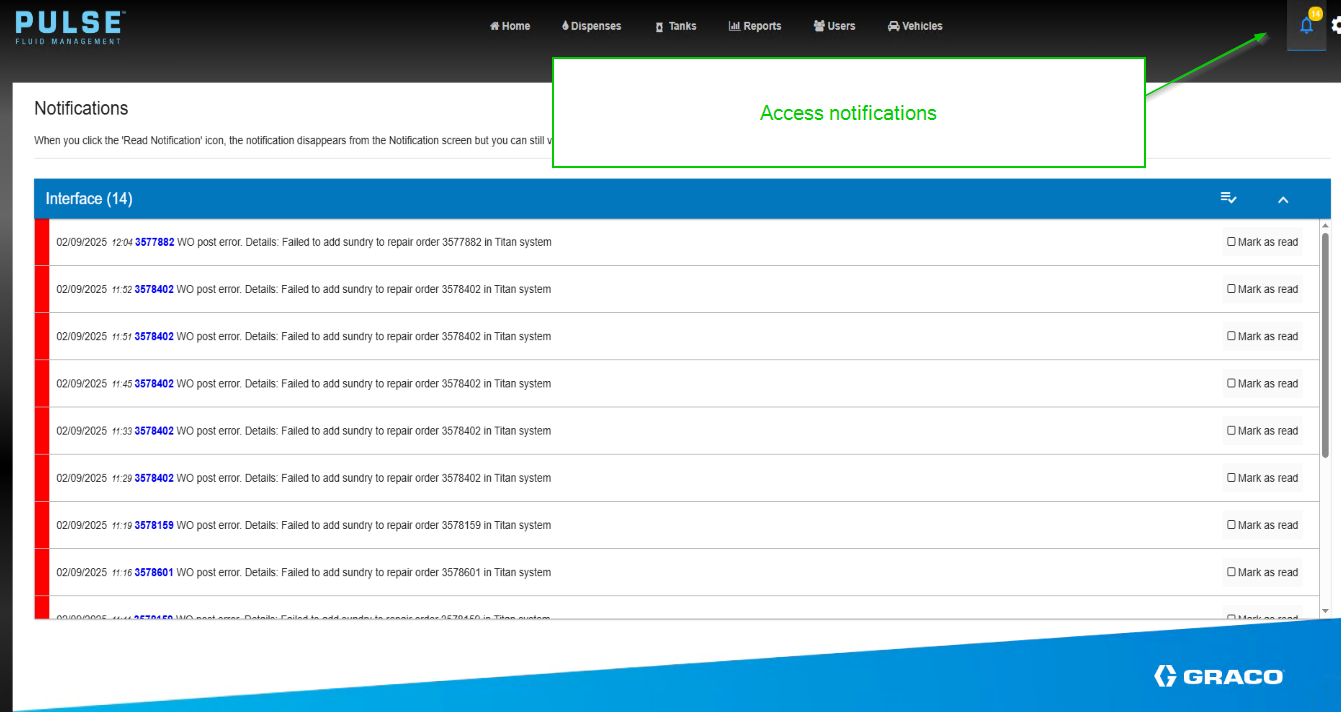
Notification will appear for failures
Log into Graco Pulse device via web interface
Select Settings -> Interface Settings
Enter the credentials advised
Notification will appear for failures