
Changing Password in PoliceBook
Changing password while logged in
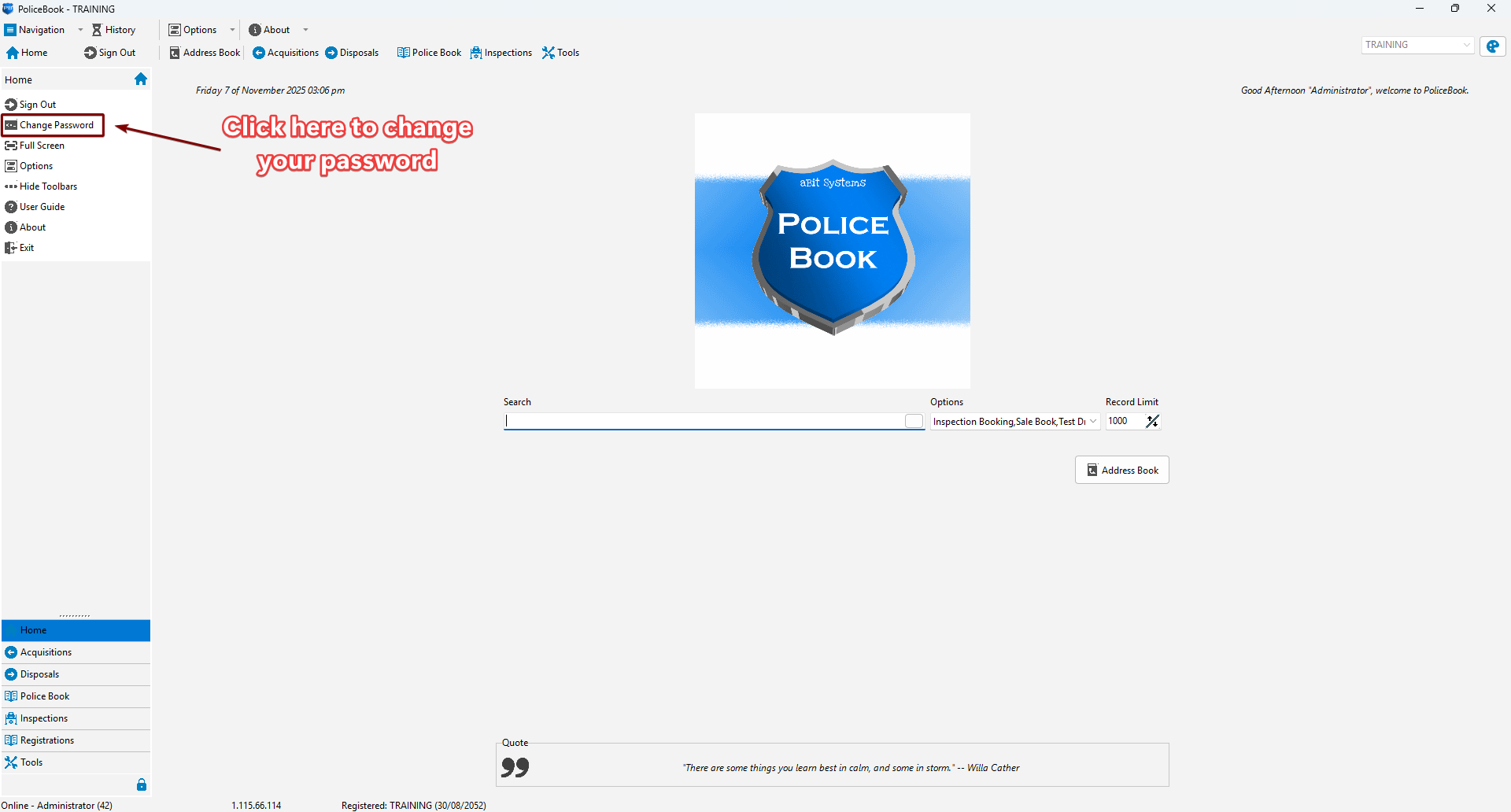
To change your password while you are logged into the application, please go to the left sidebar and click "Change Password"
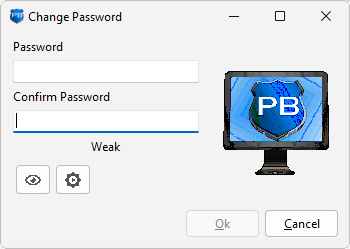
You will receive a pop-up window to change your password. Please use a strong password. If you would like the password automatically generated, you can use the 2nd button in order to do so. Press "Ok" when you are done.
Changing password while not logged in (locked out)
There is no way to change your password yourself while not logged in unless you have administrator permissions. Please contact your IT Support to reset your password for you.