Showing or hiding panels
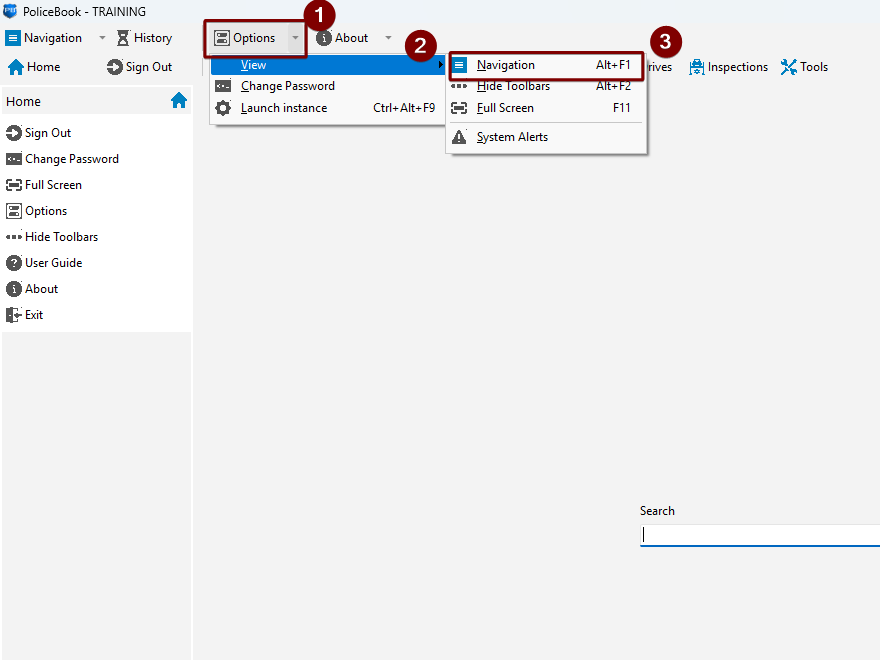
Navigation (Left-side menu)
Keyboard shortcut: ALT+F1
You can show and hide the navigation menu with the keyboard shortcut above or by going to "Options" > "View" > "Hide Toolbars"
Toolbar (Top menu)
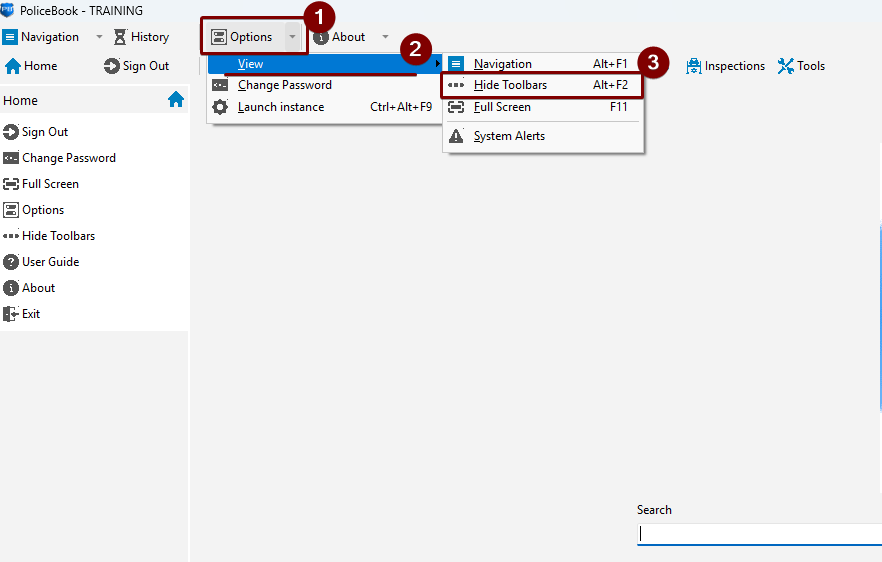
Keyboard shortcut: ALT+F2
You can show and hide the toolbar menu with the keyboard shortcut above or by going to "Options" > "View" > "Hide Toolbars"
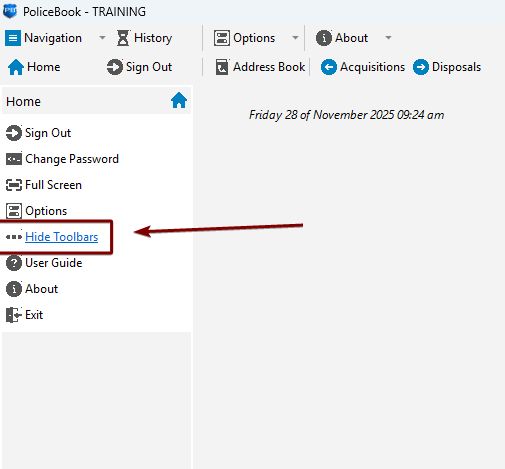
You can also hide the toolbar menu with the button in the navigation menu (left-side).