
Create & edit items
Create & edit items
From Items, choose New item or open a row. With write access you can save changes; readers can view details only.
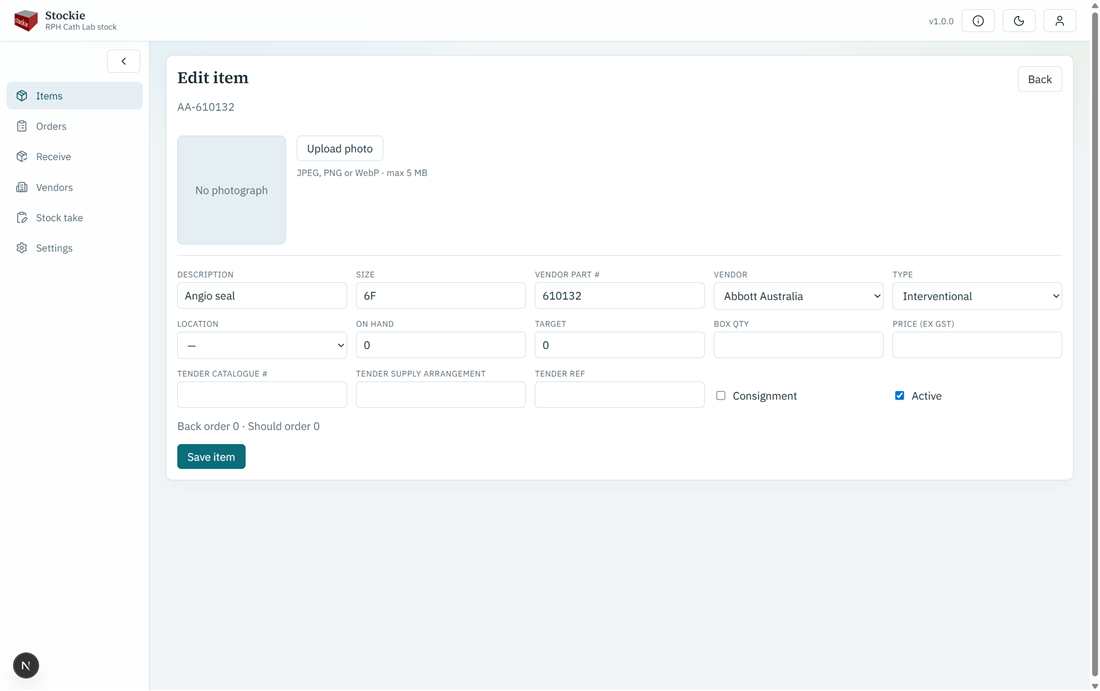
Item form: catalogue fields and optional photograph
Main fields
- Description, size, vendor, type, location
- Vendor part number (important for matching supply lines)
- On hand and target quantities
- Box quantity and price (ex GST)
- Tender catalogue / supply arrangement / reference (when used)
- Consignment flag and Active flag
On edit, Stockie also shows derived back order and should-order for the item. You can attach or replace a photograph on edit.
There is no general document store on items in this web version — only an optional photo.