
Getting around
Getting around
After sign-in, every screen uses the same shell: a collapsible side navigation, a top bar with site subtitle and version, and the main work area.
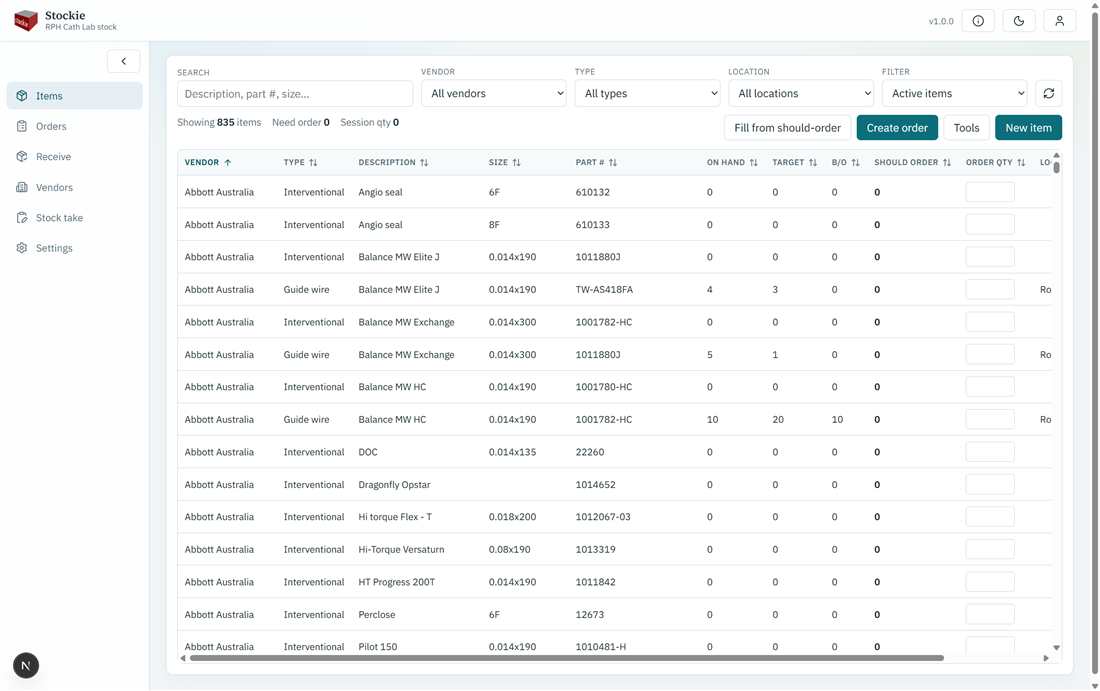
Navigation
| Menu | Purpose |
|---|---|
| Items | Catalogue, should-order, ordering session |
| Orders | Purchase orders / internal requisitions |
| Receive | Look up an order and receive stock |
| Vendors | Supplier list used by items and order split |
| Stock take | Count stock and update on-hand |
| Settings | Administrators only — site coding, email, users, lookups, audit |
Top bar
- About — app version and release notes
- Theme — light or dark
- Account menu — Profile and Sign out. Read-only users see an indication that they cannot change stock.
On small screens, open the menu with the hamburger control. Collapse the sidebar on desktop when you want more grid space.